Mission Control for Claude Code: How to Manage 10 Agents Without Losing Your Mind
 Yuval Hayke5 min read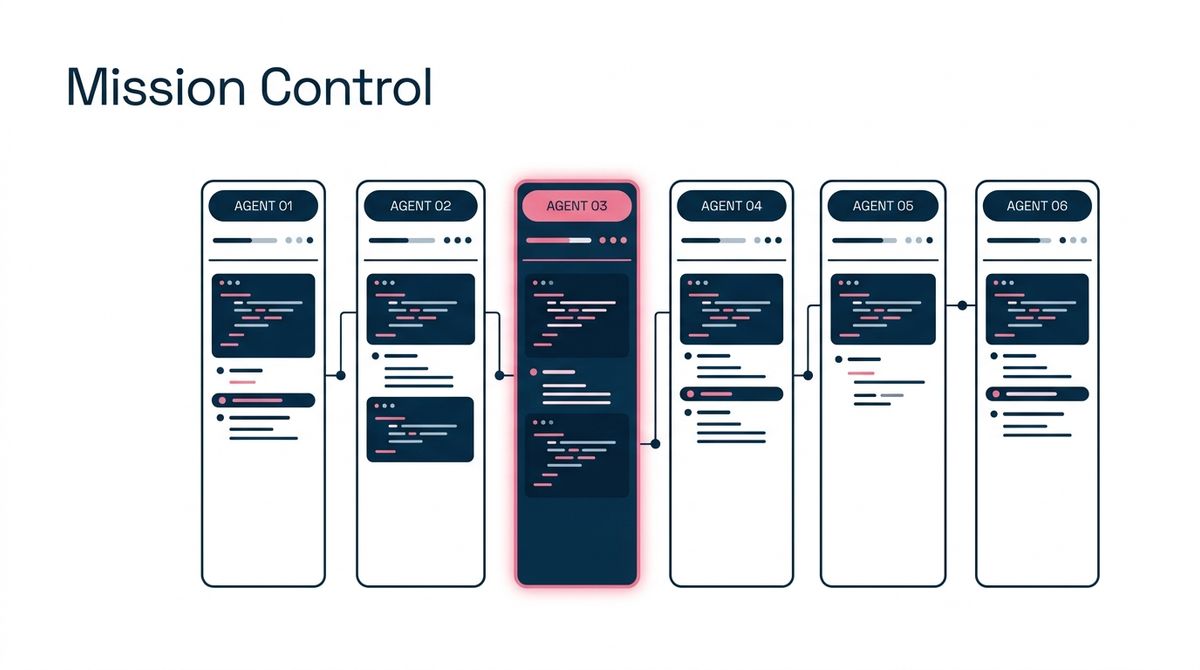
If you’ve adopted Claude Code as your primary AI engineer, you know the workflow shift is real. You start a task in one terminal, realize it will take five minutes, and immediately open a new tab to start a second task. Ten minutes later, you have six terminal tabs open, you can’t remember which one is waiting for approval, and you’ve lost track of which branch belongs to which agent.
We call this "Context Thrashing." You aren't coding anymore; you're just tabbing through terminal windows trying to find the one that beeped.
Enter fleet—a terminal mission control designed specifically for orchestrating parallel Claude Code sessions. It turns the chaos of multi-agent work into a clean, unified dashboard.
What is fleet?
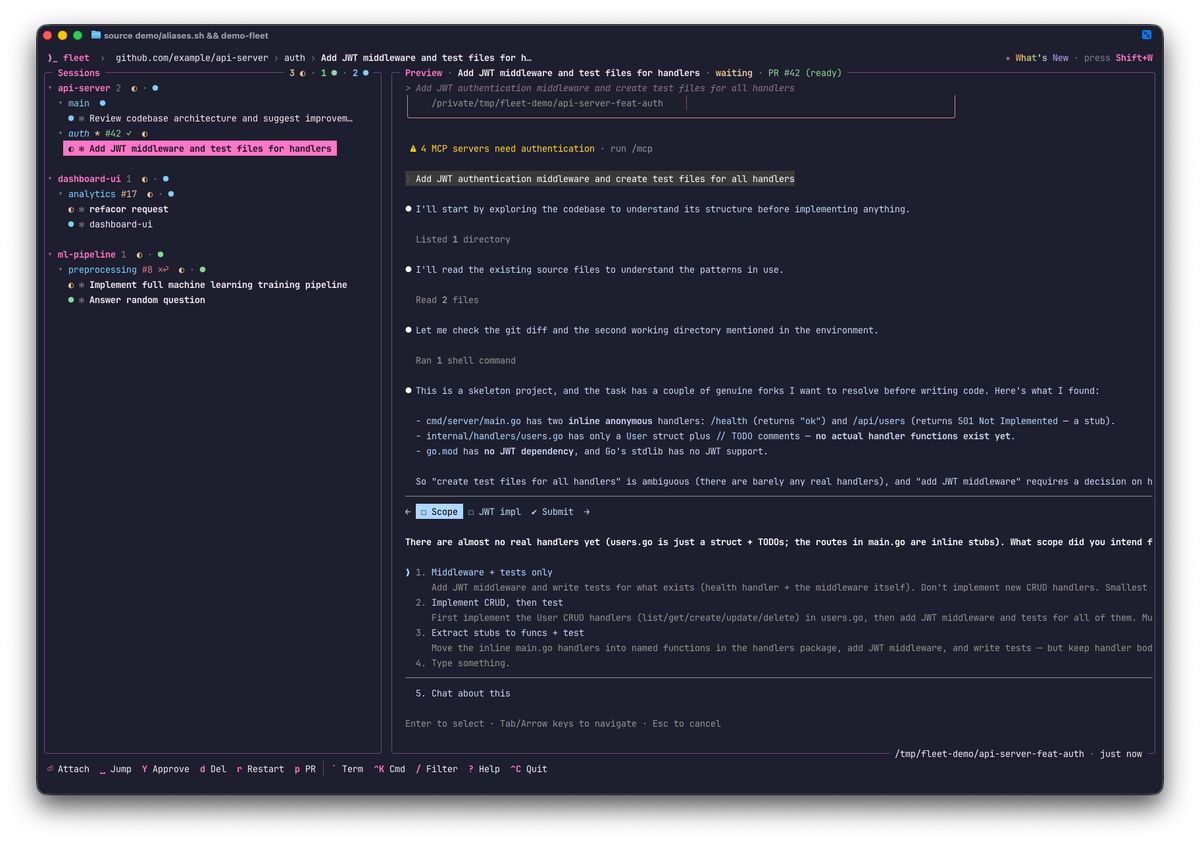
fleet is a TUI (Terminal User Interface) that wraps Claude Code. Instead of running the agent directly in a raw shell, you run it through this dashboard. It manages the underlying sessions using tmux, tracks their status in real-time, and groups them by repository.
It solves the "waiting game." You can see at a glance which agents are churning through code, which are finished, and—most importantly—which are blocked waiting for your input.
Built to Survive Scale
Like many developer tools (think Slack, React, or Kubernetes), fleet wasn't originally built as a product. It was built as a survival mechanism.
At Brizz, we run a lean engineering team with ambitious goals. To punch above our weight, we leaned heavily into AI-driven development. But as we scaled our usage of Claude Code, we hit a wall. Managing 3 concurrent agent sessions was fine; managing 10 was a nightmare. Our engineers were spending more time Alt-Tabbing between terminals than actually directing the AI.
We needed a way to manage a "squad" of agents without the cognitive load of tracking a dozen loose terminal windows. We built fleet internally to solve this specific bottleneck. Once we started using it, we realized we couldn't go back. It turned our "10-tab problem" into a streamlined workflow, allowing a single engineer to effectively oversee 5-10 concurrent workstreams.
Now, we're open-sourcing it so you can do the same.
Key Features
1. The "Jump and Approve" Workflow
The killer feature of fleet is speed. In a standard workflow, you have to manually hunt for the tab asking for permission.
In fleet, you just hit the Space bar. This instantly jumps your cursor to the next session that needs attention (Waiting or Finished). Combined with the Y key for "Quick Approve," you can review and unblock a dozen agents in seconds:
- Space (Jump to blocked agent)
- Y (Approve the plan)
- Space (Jump to next)
It turns the tedious task of supervision into a rapid-fire flow state.
2. Real-Time Status
Most multi-agent tools rely on "screen scraping"—guessing what the AI is doing by reading the text on the screen. fleet goes deeper. It hooks directly into the Claude Code lifecycle to detect state changes instantly. The moment an agent finishes a task or asks for permission, the dashboard updates. No polling delay, no guessing.
3. Git-Native Organization
Developers work in repositories, not just "sessions". fleet understands this. It groups your agents by project and pulls in live Git context.
- Branch Tracking: See exactly which branch an agent is working on without entering the session.
- PR Status: It integrates with the GitHub CLI to show CI status, review approvals, and requested changes right in the list.
4. Chrome Integration
Ever had an agent say "I created a PR" and then force you to manually hunt for the link? fleet includes a native bridge to your browser. Pressing a single key on a session instantly opens the relevant Pull Request in Chrome, focusing the existing tab if it's already open.
Architecture & Tech Stack
fleet is built for speed and stability, leveraging the modern Go ecosystem.
- The Engine (Go + Bubble Tea): The interface is built with Bubble Tea, the gold standard framework for modern Go TUIs. It ensures the app is snappy, responsive, and beautiful.
- The Foundation (tmux): We didn't reinvent the wheel. fleet acts as a "porcelain" over tmux plumbing. This is a critical safety feature: if the fleet app crashes or you accidentally close the window, your actual agent sessions stay alive in the background. You never lose work.
- The Brain (SQLite): All session metadata is persisted locally. You can quit the app, restart your computer, and pick up exactly where you left off.
Getting Started
Getting up and running takes less than a minute.
1. Install
You can grab the latest version via Homebrew. It requires tmux and gh (GitHub CLI) to be installed on your machine.
brew install brizzai/tap/fleet2. Launch
Simply run fleet in your terminal.
3. Start Orchestrating
- Press a to start a new agent in your current directory.
- Press n to pick a different project from your filesystem.
- Use Enter to full-screen attach to any session, and Ctrl+Q to detach and return to the dashboard.
Conclusion
As AI agents become more capable, the bottleneck in software development is shifting from writing code to orchestrating it. We need tools that treat agents not as novelties, but as scalable, distinct workers.
fleet is one of the first tools to nail this workflow for Claude users. It respects your existing tools (git, tmux) while adding the high-level visibility you need to manage a squad of AI engineers. If you find yourself juggling multiple terminal tabs today, give it a try—you might never go back.
Check out the project on GitHub.